Product demo · 2026

Meet Ontroz.

The AI support agent for your website. Train it on your content, brand it as your own, and it answers customers — day and night.

LIVE IN ~5 MINUTES · ONE SNIPPET · CANCEL ANYTIME

The full product in 95 seconds — every screen is real, recorded live. 🔊 Sound on.


From zero to answering

Live on your site in three steps.

No engineering project, no migrations, no chatbot scripts to write. The whole setup is shorter than a coffee break.

STEP 01

Train it on your content

Point Ontroz at your website, docs, PDFs, or plain text. It reads everything and builds a private knowledge base — typically ready in ~2 minutes.

STEP 02

Make it yours

Pick your colors, avatar, greeting, and suggested questions with a live preview. On paid plans the Ontroz branding disappears — it's your assistant.

STEP 03

Paste one snippet

Copy the install code — <script src="…widget.js"> — into any site: plain HTML, React, WordPress. The widget is live immediately.


The product, not a mock-up

What you and your customers see.

Every screenshot below is the live product — the same screens you saw in the demo video.
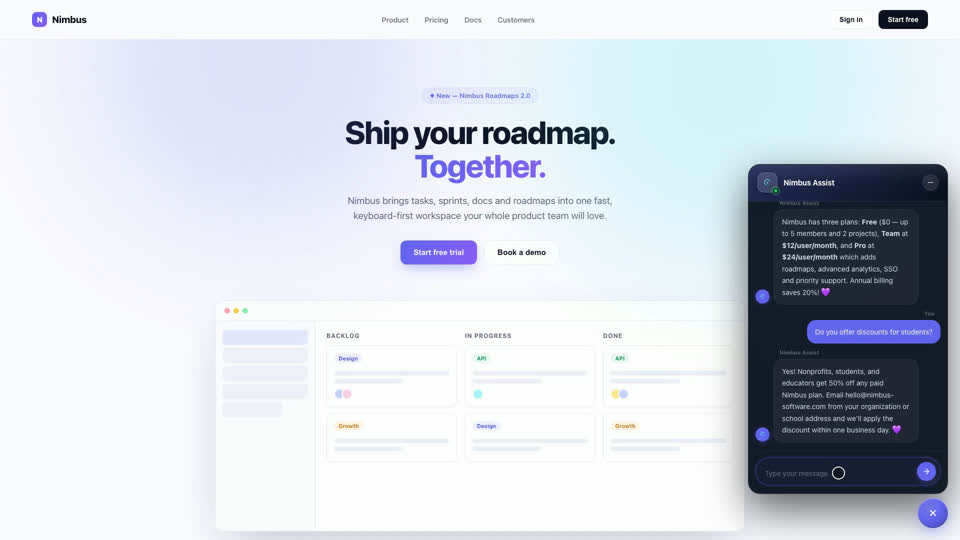
The Ontroz widget answering a pricing question on a customer website
On your website

Real answers, streamed live.

Visitors ask in their own words; the widget answers instantly from your content — with your tone, your brand, and suggested questions to get them started.
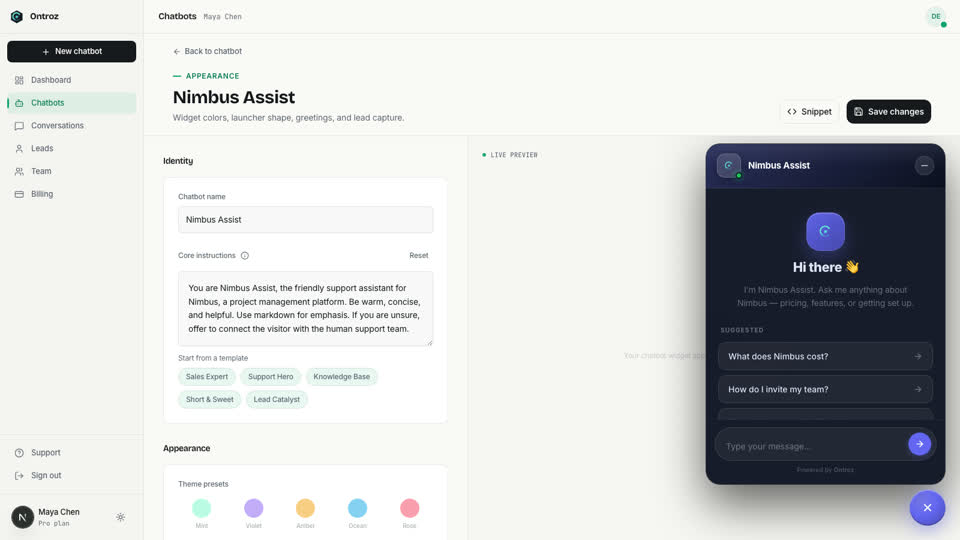
Customize screen with live widget preview
Customize

Your brand, down to the pixel.

Colors, launcher shape, greeting, avatar, suggested prompts — all with a live preview that updates as you type. White-label included on every paid plan.
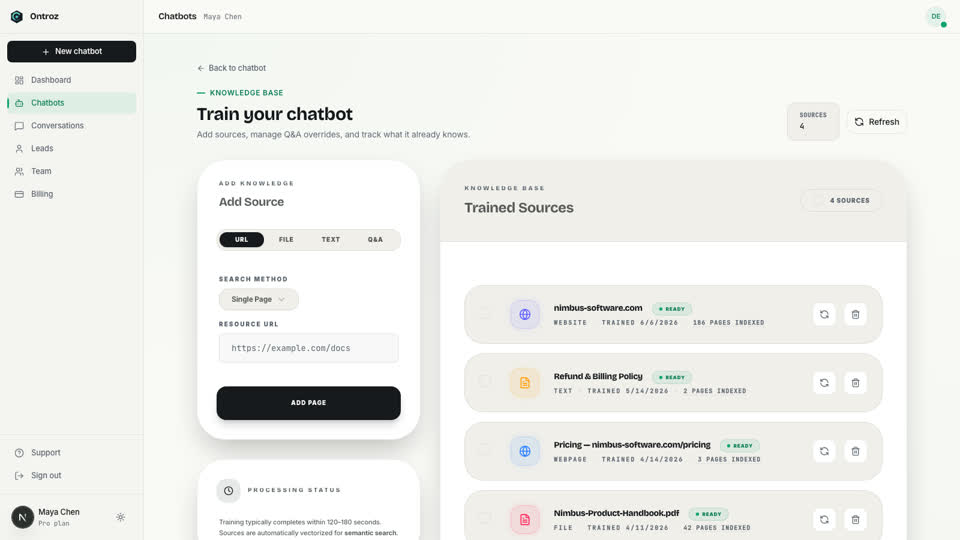
Training screen with knowledge base sources
Knowledge base

Websites, docs, PDFs — one brain.

Add a URL, upload a handbook, paste a policy. Ontroz keeps sources organized, shows what's trained, and re-syncs when your content changes.
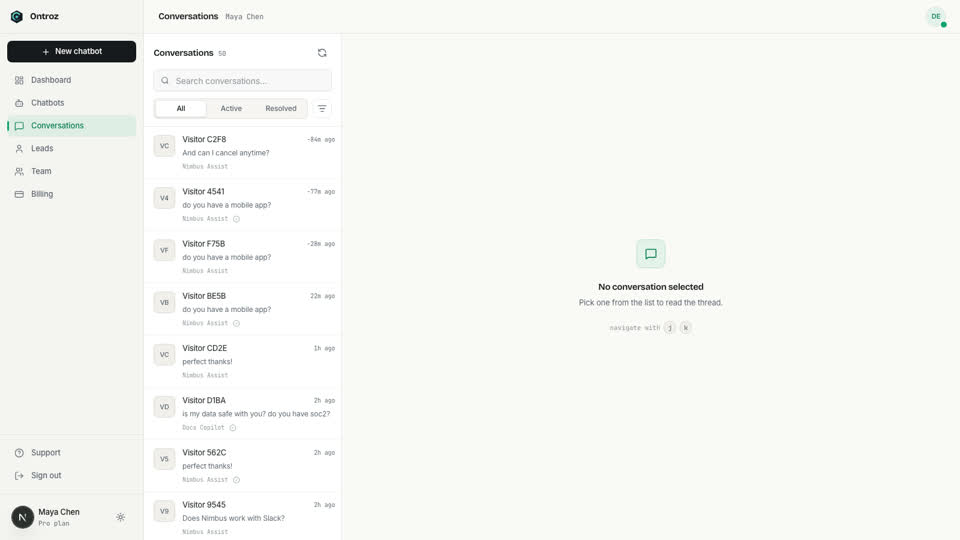
Conversations inbox with a full thread open
Conversations

Every chat, one inbox.

Read full threads, filter by status, and take over from the AI with one click when a conversation needs a human — the visitor never leaves the widget.
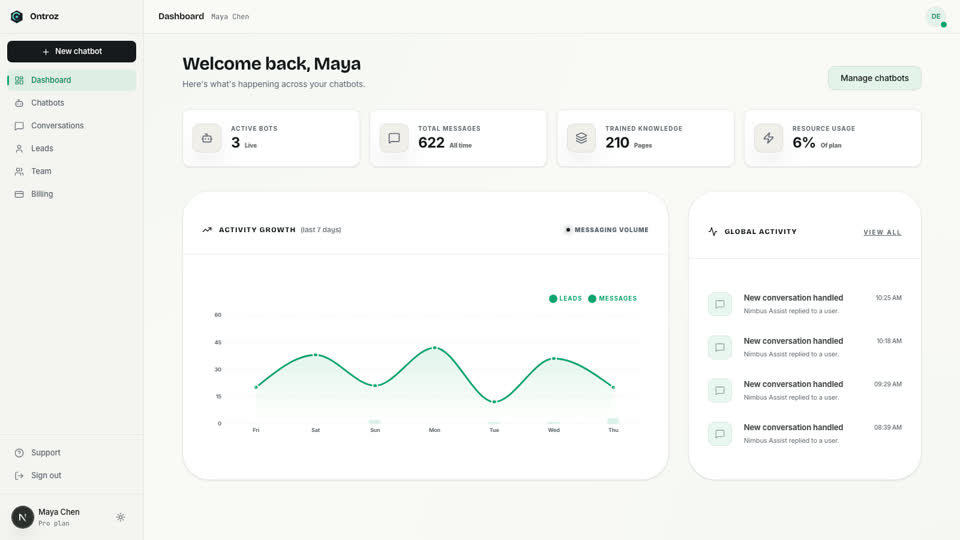
Dashboard with activity chart and stats
Analytics

Watch it earn its keep.

Conversations handled, messages answered, leads captured, knowledge trained — tracked daily so you can see the workload Ontroz takes off your team.
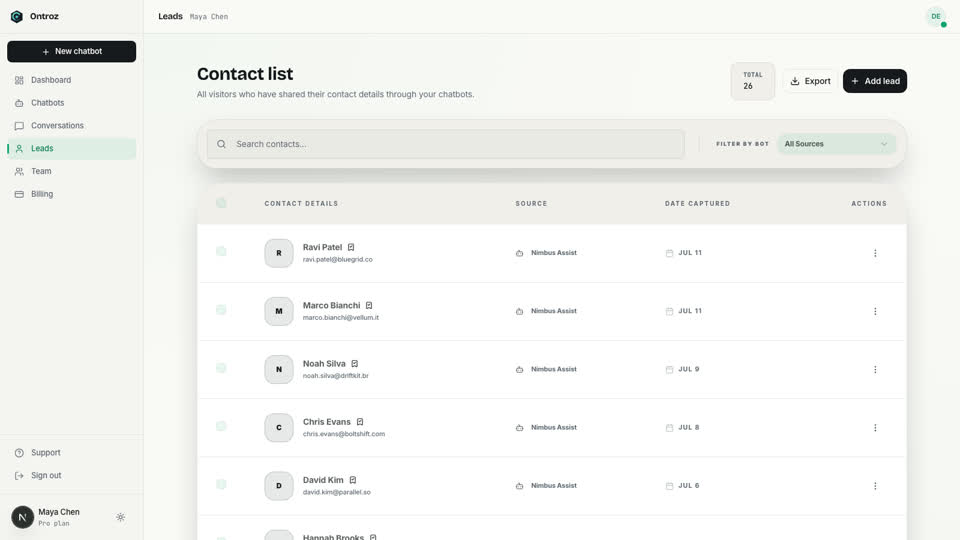
Leads contact list captured by the chatbot
Lead capture

Chats become contacts.

Ontroz asks for contact details at the right moment, links them to the conversation, and exports to CSV — your pipeline fills itself while you sleep.


Under the hood

Everything a support team needs. Nothing you don't.

Grounded answers

Replies come only from your trained content. If it doesn't know, it says so and hands off — no made-up answers.

Q&A overrides

Pin exact answers for pricing, policies, and other must-be-right questions. Overrides always win.

Human takeover

Jump into any live conversation from the inbox. The AI pauses; your agent types; the visitor never notices a seam.

Lead capture built in

Name, email, phone — collected in-chat, linked to the transcript, exportable as CSV.

REST API

Create bots, add sources, and send messages programmatically. Included on every paid plan, from Starter up.

Team & roles

Owner, admin, and member roles keep billing, bot management, and read-only access cleanly separated.

24/7
Always answering
0 min
To go live
0
Snippet to install
$0
To start

Your data, handled properly

Built like infrastructure, not a widget.

Encrypted in transit. All traffic between your visitors, the widget, and our API runs over TLS.

Keys are never stored raw. API keys are hashed (SHA-256) — even we can't read them back.

Origin controls. Lock your widget to your domains so nobody else can embed your bot.

Abuse protection. Per-visitor rate limiting keeps bots and spam from burning your quota.

Your data stays yours. Export conversations and leads as CSV anytime; delete everything on request.

Role-based access. Billing stays with the owner; members get exactly the access they need.


Questions clients ask us

The honest answers.

How do you stop it from making things up?

Three layers. Answers are generated only from your trained content (retrieval-augmented, not free-form). For must-be-exact topics like pricing or refunds, Q&A overrides return your wording verbatim. And when the content genuinely doesn't cover a question, the bot says so and offers your team — it never improvises.

What happens when the AI can't help?

Your team can take over any conversation live from the inbox — the AI pauses instantly and the visitor keeps chatting in the same window. Contact details are already captured, so nothing gets lost in the handoff.

How long does setup really take?

Typically under five minutes: paste your website URL, wait ~2 minutes while it trains, adjust colors, and paste the snippet. The demo video shows the full flow in real time.

Can we put our own brand on it?

Yes — colors, avatar, greeting, and launcher are customizable on every plan, and paid plans can remove Ontroz branding entirely, so the assistant is fully yours (agencies: this works per-client bot).

What does it cost us to try?

Nothing. The Free plan needs no card. Paid plans start with a 7-day trial and cancel in one click — you keep access until the end of the period, always.

Every visitor, answered

Your support team just got bigger.

Put Ontroz on your site this week — it'll be answering customers before your next stand-up.